
A communication referee to prevent conversations from spiraling into fights
Ever feel stuck in the middle of a fight?
Like no matter what you say, your partner, friend, or family member just doesn’t get it?
As if you’re talking to a wall; frustrated, unheard, and exhausted?
What if there was a neutral third person, not to take sides, but to observe, guide, and help both of you find clarity?
That’s where Communicat comes in. It acts as your real-time communication referee, always available, always objective.
Our goal is to help you slow down tense conversations, reduce defensiveness, and create room for apology, rephrasing, and understanding before things spiral.
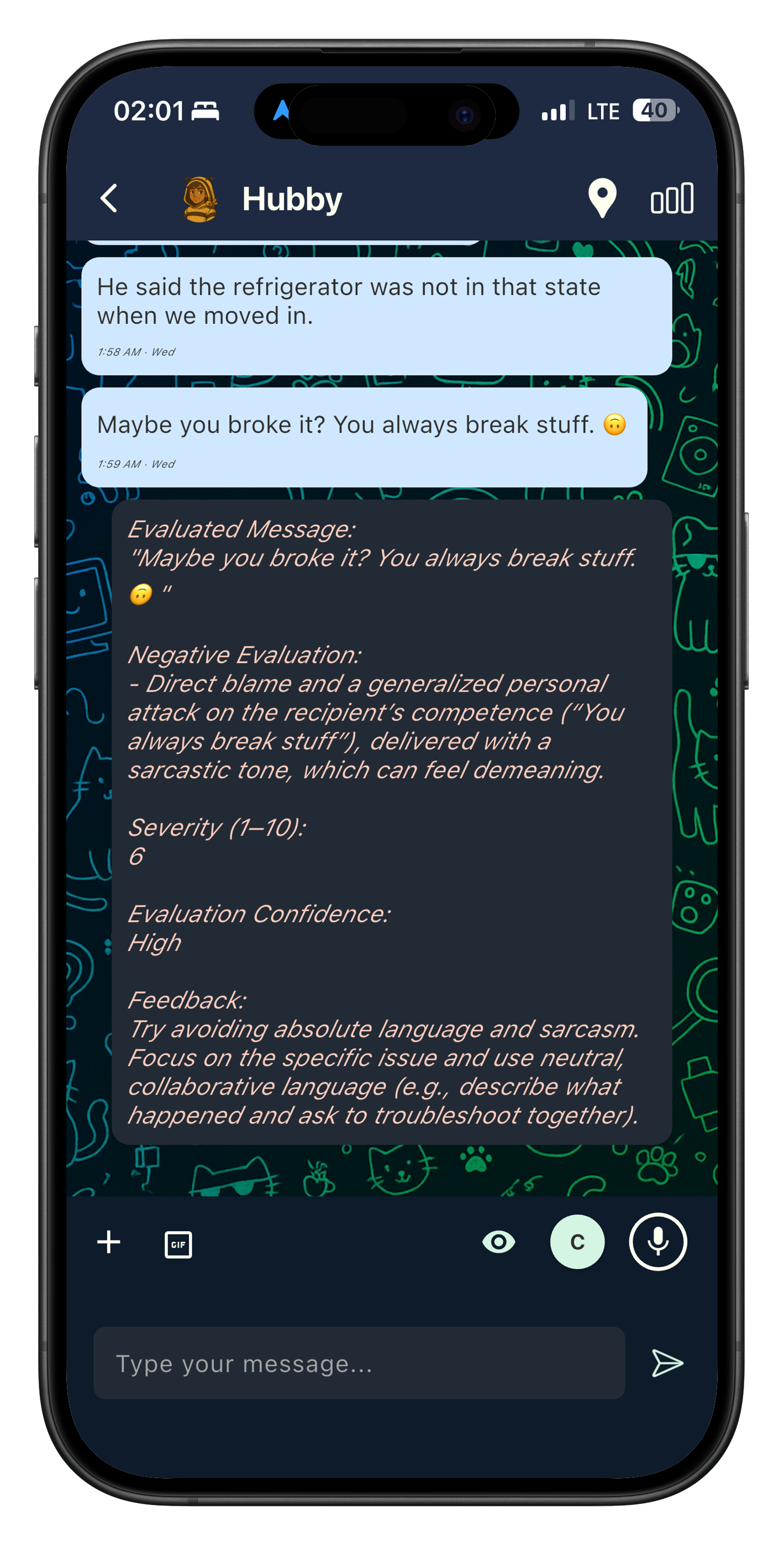



See how it works below ↓


How It Works
Communicat helps you catch the moment a conversation may start to spiral and creates room for better response.
Available as an app, WhatsApp bot, and mobile keyboard.
1. A tense message appears
Communicat works inside real conversations when a message may come across as dismissive, blaming, or likely to trigger defensiveness.
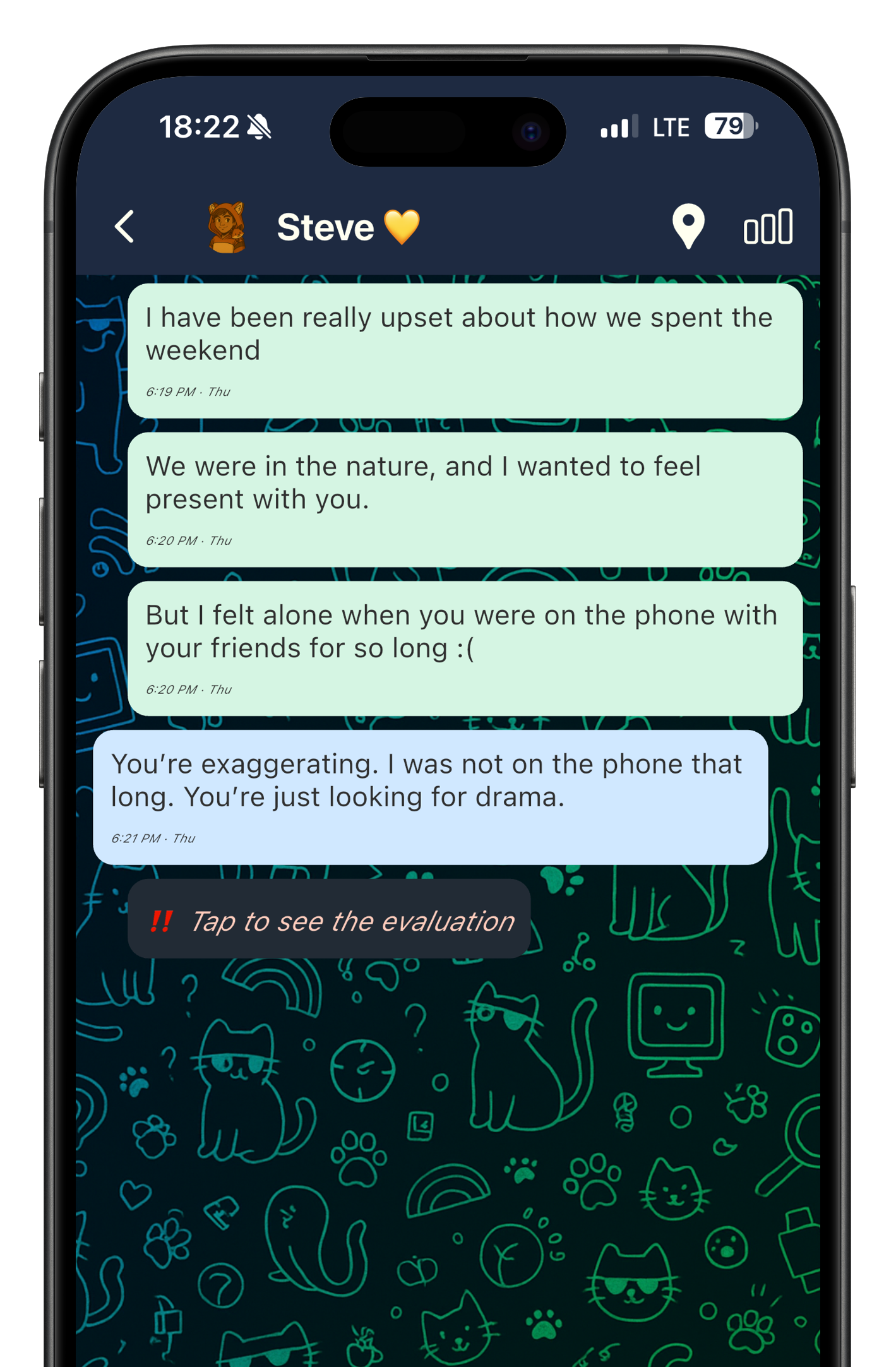
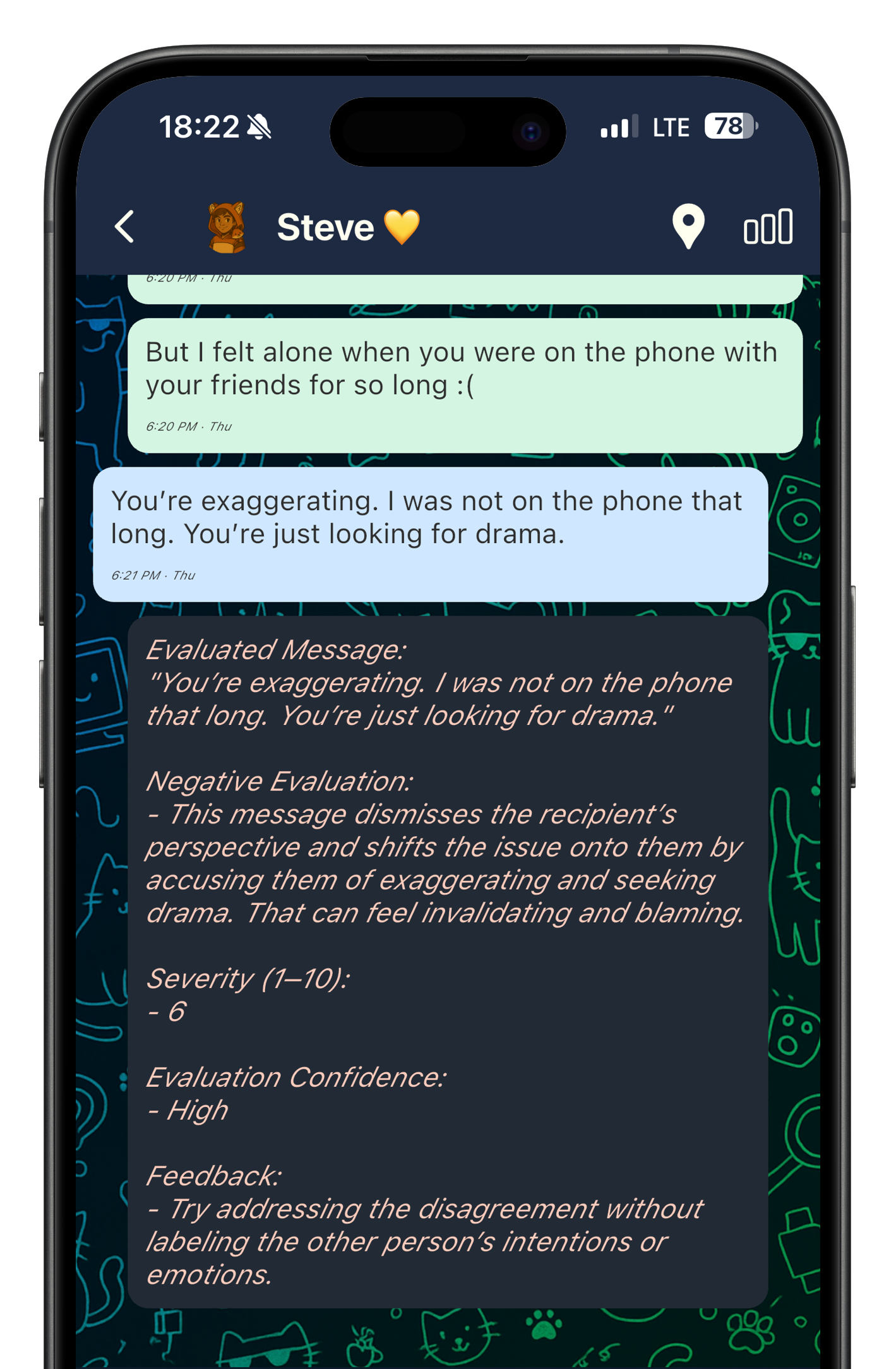
2. Communicat evaluates the message
It acts like a neutral communication referee, helping you understand why the message may escalate the conversation and what pattern is showing up.
→
→
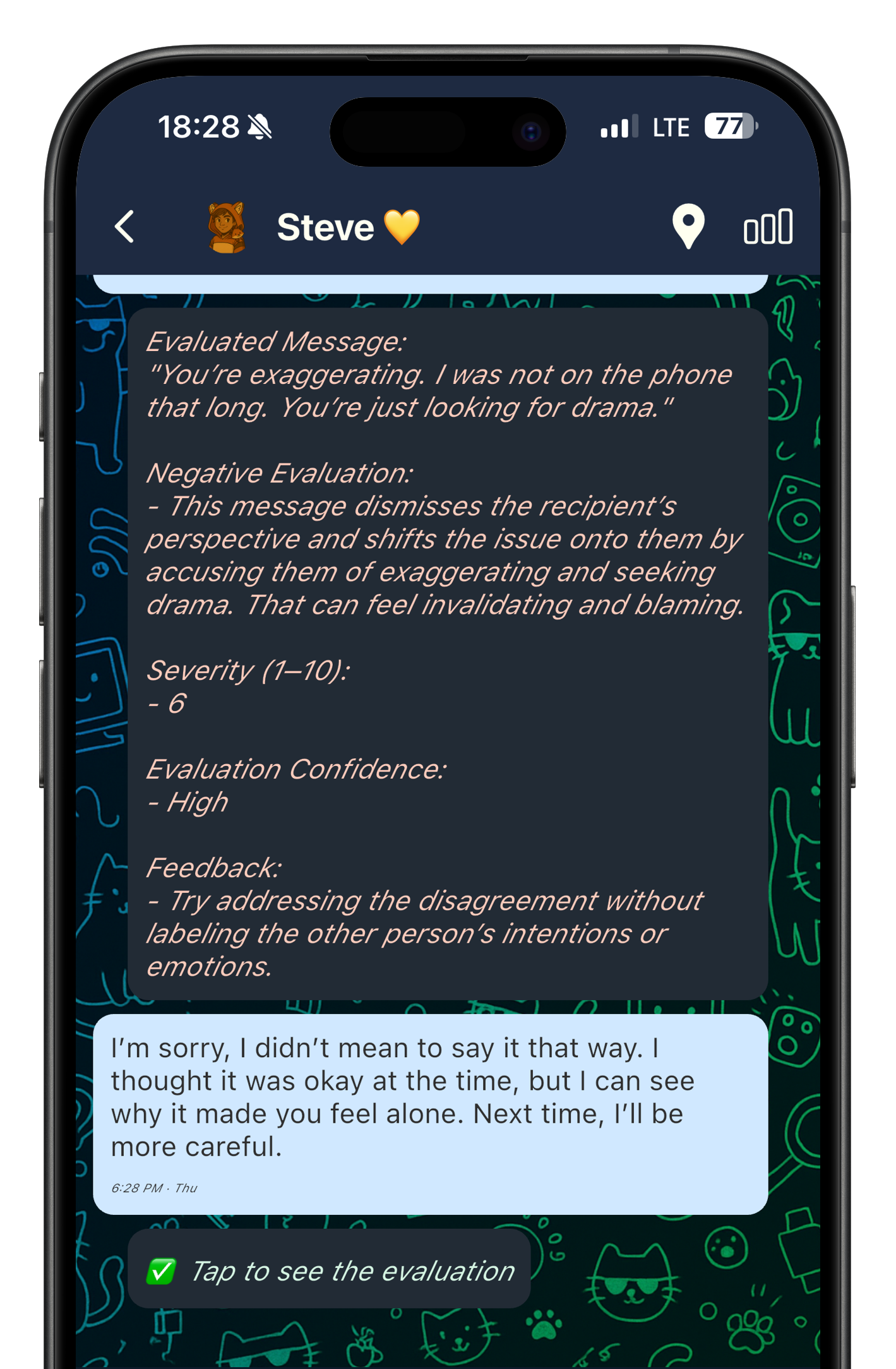
3. Raises awareness and gives room for better response
Communicat helps create space for apology, rephrasing, and clearer communication before things spiral further.
Try a Real Message Evaluation
Paste any text below and see how Communicat analyzes it instantly
What Communicat Catches
Communicat helps you notice the communication patterns that often make conversations feel more tense, defensive, or hurtful.
❷ Blame and accusation
Language that turns the focus onto the person instead of the issue.
❹ Manipulation and gaslighting
Patterns like guilt-tripping, twisting the situation, or making someone question their own feelings or reality.
❻ Missed chances to repair
Situations where apology, rephrasing, or clarification could shift the conversation in a better direction.
❶ Defensiveness
Responses that shut the other person down instead of helping them feel heard.
❸ Dismissiveness
Replies that can make someone feel unheard, minimized, or invalidated.
❺ Escalation patterns
Moments where a conversation starts becoming more heated instead of more clear.
Core Features
Chat companion for your existing messaging apps
Use Communicat’s business number within popular chat apps like WhatsApp.
Our companion gives you instant feedback when there is a negative pattern in the messages you receive and send.
Standalone Messaging App with Real-Time Feedback
Use Communicat’s standalone app to talk to your close ones.
Every message you send or receive in Communicat’s chat is gently reviewed for harmful patterns like blame, manipulation, or gaslighting. You’ll get instant feedback to improve your own communication, or better understand your partner’s.
Features to de-escalate heated fights
When things get tense, Communicat app gives you tools to pause, cool down, and reset. Use timed breaks, calming prompts, and gentle nudges that help both sides return to the conversation with a clearer head.
Built-in translation support
Ask Communicat to translate messages instantly.
We help reduce language-based misunderstandings so you can focus on expressing yourself the best way you can. Translations are context-aware, avoiding the common errors of generic translation tools.
Standalone message evaluation
Not sure how your words might come across?
Via Communicat app, get instant feedback on any message; whether you’re writing one or trying to understand one you received.
Learn what’s constructive and what might escalate things, so you can avoid spiraling disputes.
Daily communication insights
Get insights and feedback for the whole conversation you have done. Track your communication patterns and see how your conversation skills improve over time.
How To Use Communicat
In Chat Message Evaluations
1. Download the Communicat app via iOS App Store, or Google Play Store.
2. Sign up with your phone number. As a messaging platform, we create your account with your phone number attached.
3. Start a chat with your close ones by pressing the + button, and chat as you always do.
4. Communicat’s AI will evaluate the messages you receive and send and inform you with positive and negative evaluations.
Healthy Communication Tools
Communicat app provides you many tools to preserve healthy communication.
If you press “C“ (cooldown) button on the chat screen. The messaging is paused, giving you room to cool off and preventing spammy, spiraling fights.
Daily Evaluations button analyses the whole conversation you have done the previous day. And it gives a feedback to both parties by being context aware.
Toggle for Pre-Evaluations: If you turn on this toggle on chat screen, each message is evaluated before sending as you press send. If a negative evaluation happens, the app will provide you with a rewritten message. At that point, you will choose to send the rewritten one or your own version.
Get Evaluations For Messages You Receive, Or Send, Anywhere!
1) On the home screen of Communicat, press the Manual evaluation button, positioned right under the + button
2) Enter any text you receive, or want to send. you can even upload a screenshot or take a photo of the message.
3) The message is evaluated for positive and negative communication patterns.
Available Platforms
Communicat is available as a mobile app on iOS and Android
Manual Evaluations* are available via our mobile app, WhatsApp number and website
*Users can send or forward any message to Communicat through WhatsApp or through the Manual Evaluation section in the app or on the website to get feedback on messages they have sent or received.